— local-first workout and nutrition tracker
A pocket-sized training log for Android. Workouts, calories and macros, bodyweight, long-term progression — offline, on-device, no account, no feed.
why i built this
I was frustrated with the current generation of fitness apps. Most gate basic functionality behind subscriptions, overload the experience with social features and “AI coaching,” or make it hard to access your own data. I wanted something simpler: a fast, local-first tool focused on training, nutrition, and long-term progression.
The goal was something closer to a disciplined notebook than an engagement-driven platform. Logging should be immediate. Tracking macros shouldn’t require ads, feeds, or upsells. Your data should belong to you, work offline, and stay accessible for analysis over time. Adherence matters more than novelty.
It also reflects a philosophy: software should stay understandable, portable, and durable. Foundry is deliberately local-first with minimal cloud dependencies and straightforward export — not trying to be a social network, just doing a few core tasks well.
what it does
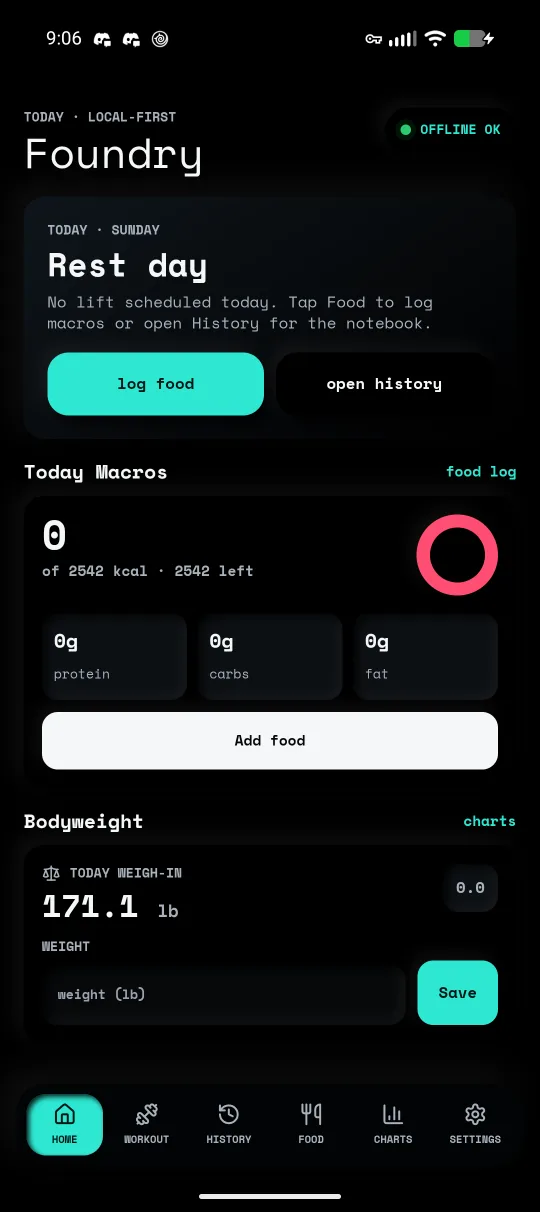
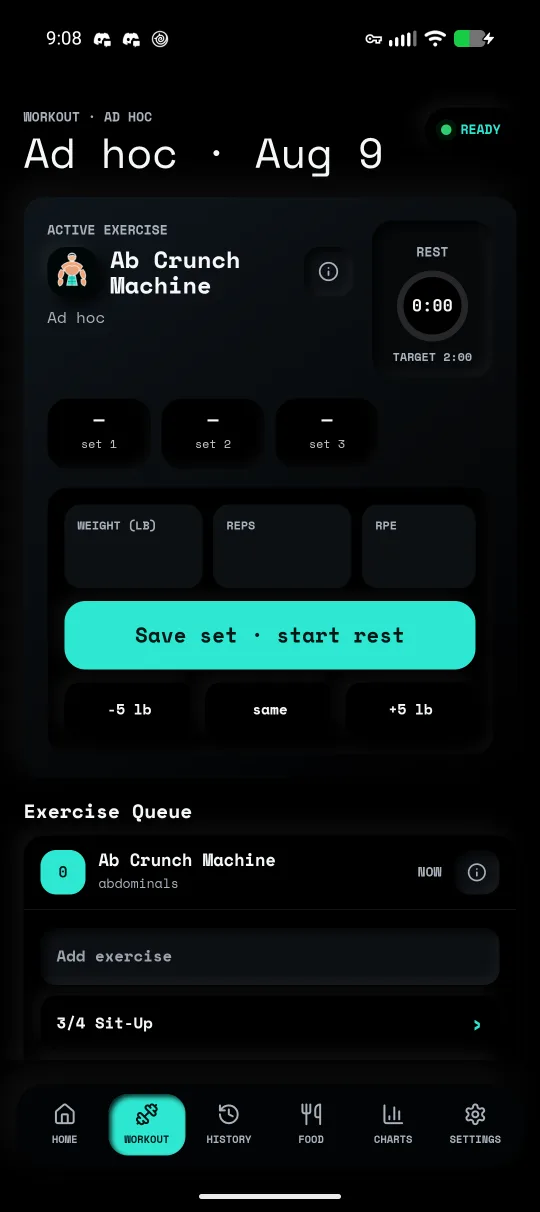
Six screens on a bottom nav — home, workout, history, food, charts, settings. A day-of-week schedule drives today’s plan, so the home screen already knows whether it’s a training day or a rest day. Routines and exercises are fully editable, drawing on a bundled library of ~870 exercises so you’re not typing everything from scratch.
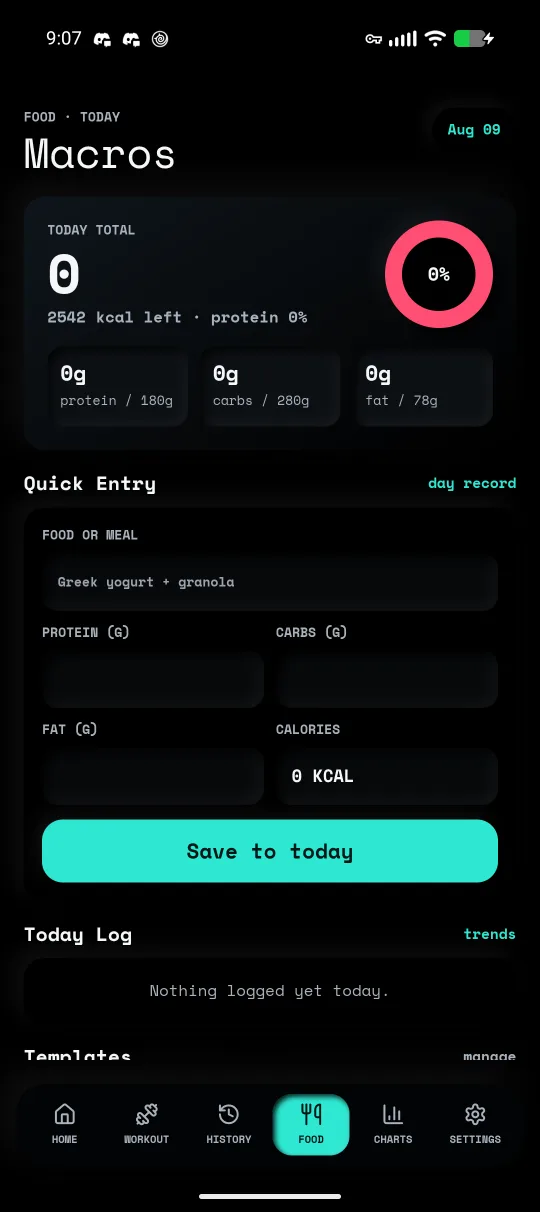
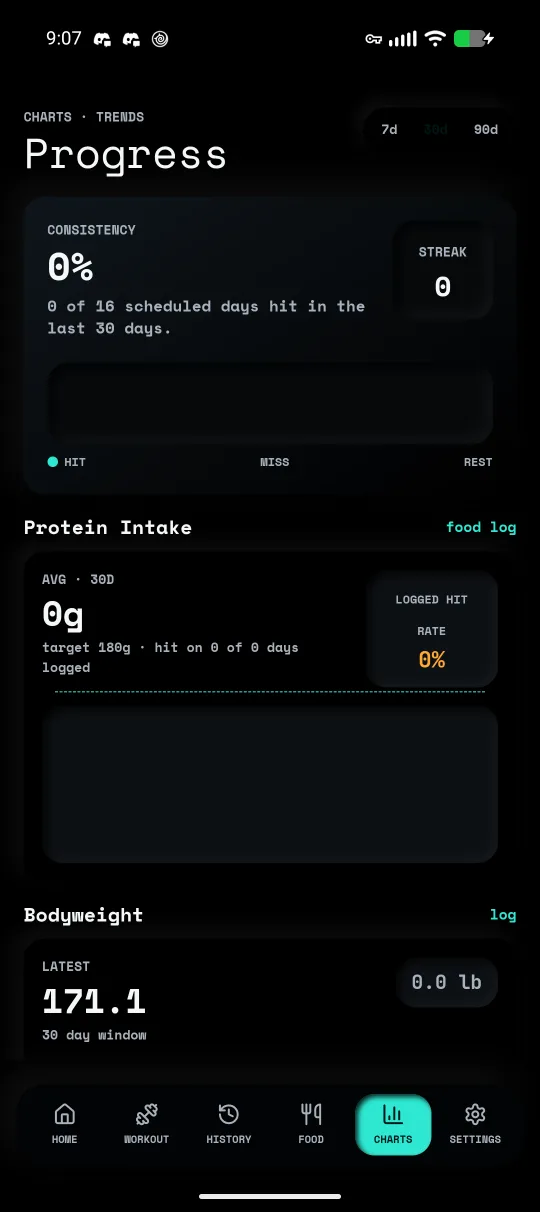
Workout logging is set-by-set. Nutrition tracking covers calories and macros with saved meals for the things you eat on repeat. Charts turn the log into signal: training consistency, daily protein against target, bodyweight trend, and per-lift estimated-1RM progression grouped by muscle. An optional local notification nudges you on scheduled training days.
your data is yours
Everything lives in on-device SQLite — no account, no sync, no cloud. Settings has a plain-JSON export and import, so a backup is a file you own and can move between devices or read yourself. It’s a SvelteKit PWA under the hood, wrapped into a signed Android APK with Capacitor and distributed through Codeberg releases; point Obtainium at the releases page and it tracks every new build automatically.
Android-only. No Play Store — the APK ships from Codeberg releases. Obtainium is strongly preferred: it watches the releases page and auto-installs every new build. Direct APK works too, but you'll be on the hook for updates.
- Install Obtainium from F-Droid or GitHub.
- Scan the QR from another device, or tap the link below on the phone itself.
- Obtainium subscribes to the Codeberg releases feed and installs new APKs as they ship.
-
Grab the latest
.apkfrom the releases page. - Allow install unknown apps for your browser, then open the APK.
-
Re-download whenever you want a new build — every commit to
mainpublishes a signed build.